TL;DR
-
IT services are the technical services that help businesses manage, support, secure, and improve their technology environments.
-
Common IT services include help desk support, managed services, network security, structured cabling, and cloud services.
-
IT support handles day-to-day issues, while managed services provide ongoing, proactive oversight of your systems and infrastructure.
-
The right IT services depend on your business size, internal resources, security needs, and whether you need full support, co-managed help, or project-based expertise.
Keeping enterprise technology running smoothly requires more than just buying the latest hardware; it demands the right support systems. IT service providers offer this support, transforming technology from a constant worry into a competitive advantage that drives your business growth.
In this blog, we'll break down the various types of IT solutions and services for businesses and share tips to help you find a provider that fits your company's unique needs.
What Are IT Services? A Brief Definition
IT services refer to technical expertise and infrastructure that support business processes. These services include everything from help desk support and cyber security to network management, cloud services, and strategic planning.
In short, IT service providers help organizations use technology effectively without overwhelming in-house teams with tasks outside of their core expertise.
IT Services vs IT Support vs Managed Services
IT Services
IT services is the broad umbrella term for the technical services and expertise that help a business run, manage, secure, and improve its technology environment. That can include everything from help desk support and cloud services to network security, structured cabling, and long-term technology planning.
IT Support
IT support is one part of that larger picture. It usually focuses on helping users resolve day-to-day technical issues such as login problems, software errors, device troubleshooting, and access requests. In many organizations, IT support is the most visible part of IT services because it is where employees turn when something stops working.
Managed Services
Managed services take a more ongoing and proactive approach. Instead of stepping in only when an issue appears, a managed services provider helps monitor, maintain, and improve specific parts of your IT environment over time. That can include patching, endpoint management, network monitoring, cybersecurity oversight, and cloud administration.
Why The Difference Matters
Understanding the difference helps you evaluate providers more clearly. Some businesses mainly need responsive support for employees. Others need a broader partner that can help manage infrastructure, security, and planning across multiple sites. In many cases, the right fit includes both dependable IT support and proactive managed services within a larger IT services strategy.
Types Of IT Services For Business
Not sure which IT services are right for your enterprise? Here are some of the most common options offered by IT providers:
Help Desk Support
Help desk services provide users with a single point of contact for technical issues like password resets and software problems. A quality help desk provides multiple communication channels, clear escalation paths, and resolution tracking to keep everyone informed and minimize frustration.
Managed IT Services
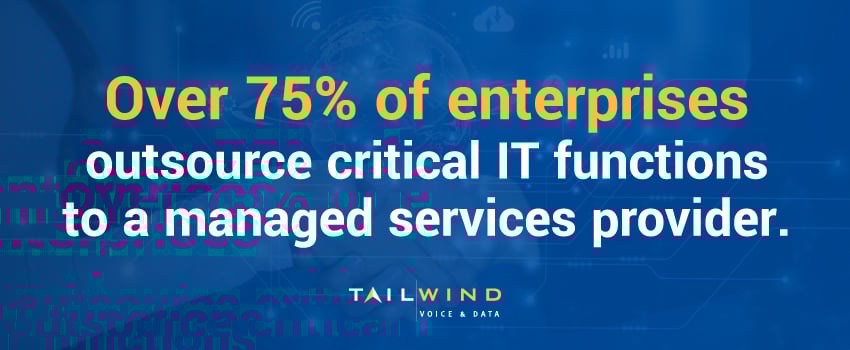
Managed services involve outsourcing the ongoing management of your IT infrastructure to a third-party provider. These providers proactively monitor systems, manage updates, and resolve issues before they disrupt operations, which could be why over 75% of enterprises outsource their critical IT functions to a managed services provider.1
Common managed IT services include:
- 24/7 network monitoring
- Patch management and updates
- Endpoint and server maintenance
- IT reporting and analytics
- Security monitoring and remediation
Managed IT services give your business access to expert technology management without the overhead of maintaining a large in-house IT department. This approach lets your team focus on core business activities while technology professionals handle the day-to-day technical tasks behind the scenes.
Network Security
With cybersecurity threats becoming increasingly sophisticated, partnering with a security expert offers protection that extends beyond basic antivirus and firewalls. Network security services – such as firewall management, vulnerability scanning, and incident response – help businesses maintain compliance and defend against evolving cyber threats.
Structured Cabling & On-Site Support
Physical infrastructure is a key part of every enterprise IT environment. Field services like cabling, hardware installation, and break/fix support are often part of a complete IT strategy, especially for multi-site businesses. These services bridge the gap between remote management and hands-on technical needs to keep your IT infrastructure running smoothly across all locations.
Cloud Services
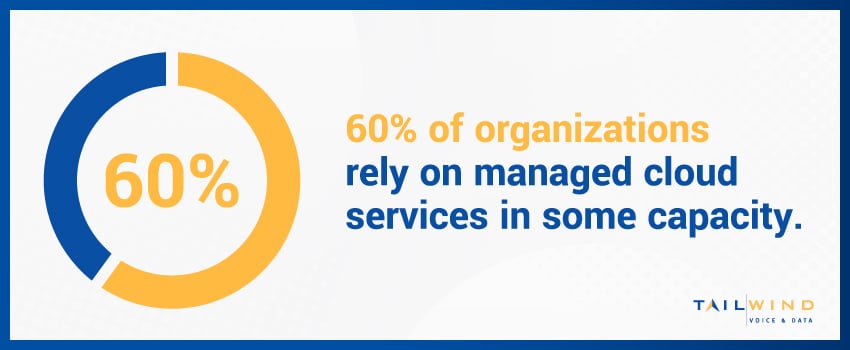
A 2025 report found that 60% of organizations rely on managed cloud services in some capacity.2 Cloud-based IT solutions and services allow businesses to host data and applications in the cloud. This takes critical functions off-site, improving scalability, accessibility, and disaster recovery capabilities.
Some examples of cloud services include:
- Cloud storage and backup
- Virtual desktops
- Software as a Service (SaaS)
- Infrastructure as a Service (IaaS)
Cloud IT services reduce the need for physical hardware while giving your teams the ability to access resources from anywhere. Ultimately, this helps transform capital expenses into operational expenses while providing flexibility as your needs change.
Common Ways IT Services Are Delivered
Not every business uses IT services in the same way. The right delivery model depends on your internal resources, the complexity of your environment, and how much day-to-day responsibility you want an outside partner to take on.
In-House IT
Some organizations manage most technology needs internally through their own IT department. This approach can make sense when a business has the scale, budget, and leadership needed to support a full internal team. It also gives the organization direct control over day-to-day priorities and internal processes.
That said, in-house IT is not always the most practical model on its own. As environments become more distributed and specialized, internal teams may still need outside help with projects, security, field support, or after-hours coverage.
Fully Outsourced IT
With a fully outsourced model, a third-party provider handles most or all core IT responsibilities. This can include user support, infrastructure monitoring, cybersecurity, cloud administration, vendor coordination, and strategic guidance.
For businesses without a large internal IT department, outsourcing can provide access to broader expertise and more consistent coverage than they could reasonably build on their own. It can also simplify operations by giving the business a single partner to manage multiple technology functions.
Co-Managed IT
Co-managed IT is a shared model. Your internal team remains involved, but an outside provider supports them in areas where extra capacity or specialized expertise is needed.
This approach works well for growing organizations that already have internal IT leadership but need help scaling support, strengthening security, managing complex rollouts, or covering multiple locations. Rather than replacing your team, the provider extends it.
Project-Based IT Services
Some businesses do not need continuous outsourced support. Instead, they bring in an IT partner for specific initiatives such as office expansions, network upgrades, cloud migrations, cabling projects, hardware rollouts, or site deployments.
Project-based services can be a smart fit when the need is well defined and time-bound. They also allow businesses to bring in outside expertise for high-impact work without changing their entire operating model.
In practice, many enterprises use a mix of these delivery models. They may keep some responsibilities in-house, outsource others, and rely on project-based support when larger initiatives arise. The best structure is the one that fits your business as it is today while giving you room to adapt as your needs change.
4 Ways Business IT Services Drive Results
The right business IT services don’t just solve technical problems – they support your business goals. Here’s how IT services can make an impact across your enterprise:
1. Improved Uptime
IT service providers minimize downtime by proactively monitoring your network and applications. When issues occur, experts step in to quickly resolve problems and restore functionality so your systems stay operational when you need them most.
2. Strategic Planning
IT partners offer more than day-to-day support. They guide long-term decisions about things like infrastructure upgrades, cloud migration, cyber security frameworks, and vendor consolidation.
This strategic perspective helps align your technology investments with business objectives, preventing costly mistakes and identifying opportunities for competitive advantage.
3. Scalable Growth
IT services help you navigate growth phases with ease, whether you're opening a new location, hiring staff, or upgrading equipment. You can simply add or remove services based on your needs – without having to hire full-time staff.
4. Cost Efficiency
With IT services, businesses can avoid the costs associated with maintaining in-house IT departments while benefiting from enterprise-grade tools and specialized expertise.
The predictable monthly expenses associated with managed services also simplify budgeting and financial planning, converting variable IT costs into fixed expenses that scale with your business size and needs.
Why Do Businesses Need IT Solutions & Services?
Modern businesses rely on IT services for more than just fixing things that break. Here are a few areas where these services add value:
Remote Work Enablement
With distributed teams becoming increasingly common, IT services provide secure access to business tools and data regardless of employee location. This includes VPN configuration, cloud management, and secure device provisioning.
Disaster Recovery Planning
Disaster recovery plans protect your organization against data loss and help you maintain business continuity during unexpected events. IT service providers implement backup systems and recovery procedures, along with plans to address everything from power outages and natural disasters to hardware failures and cyber attacks.
Vendor Management
Managing relationships with multiple technology vendors can create administrative headaches for many businesses. IT service providers simplify procurement and coordination across vendors to reduce communication complexities and ensure compatibility between all your systems and services.
Compliance & Audits
Meeting industry-specific regulations requires documented processes and controls that demonstrate appropriate data handling practices. IT service providers can help your organization establish and maintain compliance with standards like HIPAA, GDPR, and other regulatory frameworks so you can reduce risk while building trust with customers and partners who value data security.
Technology Training & Adoption
Getting the most value from your technology investments requires effective user adoption. IT service providers develop and deliver training programs that help your team leverage new tools correctly while following security best practices.
How To Choose The Right IT Services For Your Business
Start With Your Actual Needs
Choosing the right IT services starts with understanding what kind of support your business truly needs. For some organizations, that means reliable help desk coverage and day-to-day system maintenance. For others, it means stronger security, better support for remote teams, improved visibility across locations, or guidance around infrastructure planning.
Look At Where Your Team Is Stretched
A good next step is to identify where your internal team is under the most pressure. If routine support requests are taking up too much time, help desk or managed services may be the right fit. If growth is creating more complexity, you may need support with network expansion, cloud adoption, device rollouts, or on-site technical services.
Consider How Your Business Operates
It is also important to think about the structure of your business. A single-site office may need something very different from a multi-location enterprise with distributed users, multiple vendors, and a mix of remote and on-site infrastructure. As the number of locations and systems grows, so does the value of working with a provider that can support both centralized coordination and local execution.
Evaluate Security & Continuity
Security and business continuity should be part of the decision as well. The right provider should be able to explain how they approach monitoring, patching, access control, backups, recovery planning, and incident response. Even when your immediate need is operational support, these areas still matter because they affect uptime, risk, and long-term resilience.
Choose A Provider That Fits Your Goals
The best choice is not simply the provider with the longest list of services. It is the one whose model fits your business goals, internal resources, and operating environment. Some organizations need a long-term managed services partner. Others need co-managed support or help with specific projects. The right IT services partner should support your business as it is today while giving you room to adapt as your needs evolve.
IT Services FAQs
What Is IT Services?
IT services are the technical services and expertise that help a business run, manage, secure, and improve its technology environment. Depending on the provider, that can include help desk support, managed services, network security, cloud services, hardware deployment, and strategic planning.
What IT Services Can Be Outsourced?
Businesses can outsource a wide range of IT functions, including help desk support, network monitoring, endpoint management, patching, cloud administration, cybersecurity, vendor coordination, backups, and project-based work such as deployments or infrastructure upgrades. The right mix depends on whether you need full coverage, added support for an internal team, or help with a specific initiative.
Why Outsource IT Services?
Businesses outsource IT services to gain access to specialized expertise, improve coverage, reduce the burden on internal teams, and support growth more efficiently. For many organizations, it also creates a more predictable operating model by giving them ongoing support without having to build every capability in-house.
How To Outsource IT Services?
Start by identifying which responsibilities you want to hand off and which ones should stay internal. From there, evaluate providers based on their service model, responsiveness, technical scope, security practices, and experience supporting businesses with similar needs. A strong outsourcing relationship should define ownership clearly, establish expectations for communication and service levels, and support your business goals rather than adding complexity.
What IT Services Do Small Businesses Need?
Small businesses often need a practical mix of user support, cybersecurity, device management, backup and recovery, network support, and cloud services. The exact combination depends on how the business operates, how many users it has, whether employees work remotely, and how much internal IT support is already in place.
Which IT Services Are Best For Data Management?
For data management, the most relevant IT services usually include cloud storage, backup and disaster recovery, access control, cybersecurity, endpoint management, and infrastructure support. Businesses may also need guidance around compliance, retention, and how data is stored and accessed across users, devices, and locations.
What Is The Difference Between IT Support And Managed Services?
IT support usually focuses on resolving user issues and technical problems as they arise. Managed services involve ongoing responsibility for maintaining, monitoring, and improving parts of the IT environment on a continuous basis. Many businesses use both, but they serve different purposes.
How Do You Know If Your Business Needs Managed IT Services?
Managed IT services may be a strong fit if your team is spending too much time reacting to issues, struggling to keep up with maintenance and security tasks, or supporting growth without enough internal capacity. They are also useful when a business needs more proactive oversight across multiple systems, users, or locations.
Why Partner With TailWind For Business IT Services
Reliable IT services for business help simplify even the most complex technical needs, whether you’re looking for help desk support, structured cabling, network upgrades, or full-scale infrastructure management. With the right IT services partner, you get the enterprise-class services and support you need to keep up with the evolving technology landscape – at all your locations.
At TailWind, we support multi-location enterprises with a full suite of IT services ranging from design to deployment to day-to-day support. Our team combines centralized management with boots-on-the-ground service across the U.S. and Canada to deliver IT services that help you move forward.
Let’s talk about how our IT services can support your business goals. Contact us today to get started!
Sources: