TL;DR
-
Customer premises equipment (CPE) is the hardware on your side of the provider's demarcation point, such as routers, modems, and firewalls, that connects your business to its network services.
-
CPE is either passive, such as ONTs and cabling, or active, such as routers and firewalls, and it may be managed by your provider or by your own IT team.
-
Well-chosen, properly configured CPE directly improves your connectivity, security, scalability, and how fast issues get resolved.
-
Standardizing devices across sites, monitoring them remotely, and keeping firmware and security settings current are key to long-term performance.
Your business network relies on more than just an internet connection, it depends on the devices that make that connection work. These devices, known as customer premises equipment (CPE), sit at your business location and link your network to your service provider. They play a direct role in how fast, secure, and reliable your connectivity is every day.
Whether you manage a single office or hundreds of locations, understanding CPE can help you make smarter decisions about your network. Read on to learn what a CPE network is and best practices for keeping it running at peak performance.
What Is CPE In Networking?
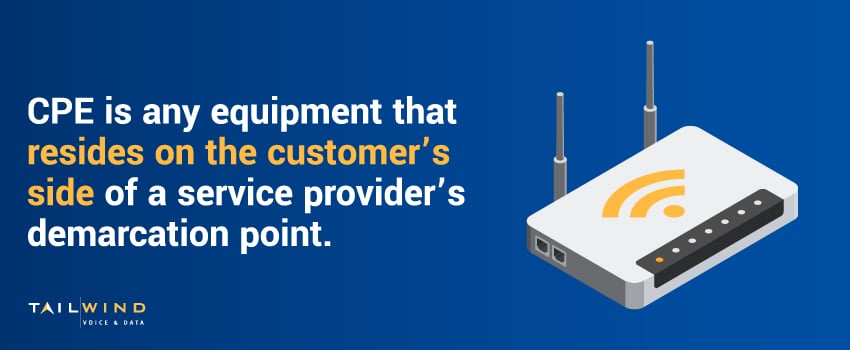
In networking, CPE refers to any equipment that resides on the customer’s side of a service provider’s demarcation point. The demarcation point (or "demarc") is where the responsibility for network infrastructure shifts from the service provider to the customer.
Common examples include:
- Routers
- Modems
- Network switches
- Firewalls
- Set-top boxes
- VoIP phones and ATAs
- Wireless access points
CPE devices make it possible to access the services you purchase from your provider, including internet access, voice services, or private WAN connectivity.
Types Of Customer Premises Equipment
The right CPE for your business will depend on your network architecture, service provider, and operational needs. Here are the main types:
Passive CPE
A passive CPE device doesn’t actively route or process data, but instead serves as a physical connection point between your network and your provider’s infrastructure. Examples include network termination units, structured cabling, and optical network terminals (ONTs).
Active CPE
An active CPE device performs routing, switching, firewalling, or protocol translation. This includes routers (which handle internet routing), firewalls (that filter and protect traffic), and VoIP gateways (which manage voice calls).
Managed vs Unmanaged CPE
Unmanaged CPE means your IT team owns and supports the hardware, while managed CPE means your service provider is responsible for maintaining and monitoring the device. Managed solutions can be helpful for multi-location businesses that want consistent performance and centralized support without stretching their in-house staff too thin.
How Does A CPE Network Work?
In a CPE network, each endpoint location has equipment installed that connects back to the service provider’s infrastructure. This setup may support:
- Internet access via cable, fiber, or DSL
- Voice services using VoIP
- Private networking over MPLS, SD-WAN, or VPN
- WiFi access for employees and guests
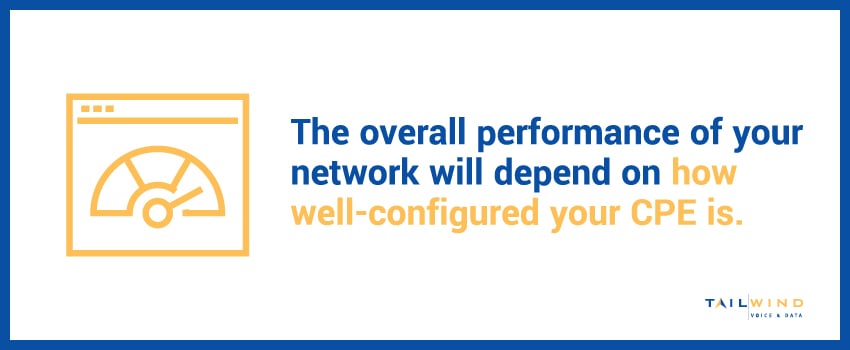
The service provider may supply and configure the CPE device, or the customer may purchase and install it independently. Either way, the quality of your connection and the overall performance of your network will depend on how well-configured your CPE is.
5 Benefits Of Using The Right CPE Devices
Here’s what you get when you choose the right devices for your CPE network:
1. Reliable Connectivity
High-quality CPE helps maintain a consistent link between your business locations and your service provider. Capabilities like built-in failover can keep your network online during outages or unplanned disruptions.
2. Stronger Security
CPE devices may include features like firewalls, intrusion detection, and VPN tunneling to keep your business network secure – a must for organizations that manage sensitive customer data or operate in heavily regulated industries.
3. Centralized Management
Cloud-managed CPE lets IT teams configure and troubleshoot devices from a single, centralized portal, simplifying operations, reducing on-site visits, and helping techs respond to issues faster.
4. Greater Scalability
As your organization grows, your CPE network needs to scale. Modular, cloud-managed, or software-defined CPE gives you flexibility to upgrade without a full infrastructure overhaul.
5. Faster Issue Resolution
Using the right CPE devices makes it easier to diagnose and resolve problems faster and more accurately. Standardized, high-quality equipment reduces the variables technicians need to consider, which means less downtime and fewer disruptions to your business operations.
Best Practices For Managing Your CPE Devices
Here are some best practices to help you get the most from your CPE investment:
Standardize Equipment Across Locations
Using the same models and configurations across all your sites makes it easier to support and troubleshoot your CPE network. Plus, standardization makes vendor negotiations and bulk purchasing more cost-effective.
Prioritize Remote Monitoring & Management
Cloud-enabled CPE makes it easier to detect issues, push firmware updates, and adjust configurations from a central dashboard, which can be especially valuable for distributed enterprises.
Include CPE In IT Planning & Budgeting
Like any other part of your IT infrastructure, your CPE network will need periodic updates or replacements. Including CPE upgrades in your annual budget ensures you’re not caught off guard when hardware reaches end-of-life or new features are required.
Train Staff On Basic Troubleshooting
While your IT team or provider will handle most issues, training local staff to recognize basic problems like loose connections or power issues can help minimize downtime – especially for branches in remote or unmanned locations.
Audit & Document Your Network
Maintain an inventory of your CPE devices, including their locations, serial numbers, firmware versions, and support contacts. This documentation is essential for security compliance, troubleshooting, and disaster recovery planning, so make sure to keep it updated.
Update Firmware & Security Settings
Outdated firmware and weak security settings are common vectors for data breaches and other attacks. Reduce these risks by regularly reviewing your CPE devices to ensure you have the latest security patches and strong configurations in place.
Customer Premises Equipment FAQs
What Is Customer Premises Equipment (CPE) In Networking?
Customer premises equipment (CPE) is any networking or telecom hardware that sits on your side of the service provider's demarcation point. It includes the devices that connect your business location to your provider's network, such as routers, modems, switches, firewalls, set-top boxes, VoIP phones, and wireless access points. CPE is what makes the services you pay for usable, whether that's internet access, voice, or private WAN connectivity. The performance, speed, and security of your connection depend heavily on how well this equipment is chosen and configured.
What Are Some Common Examples Of CPE Devices?
Common CPE devices include routers, modems, network switches, firewalls, set-top boxes, VoIP phones and ATAs, and wireless access points. The category also covers passive hardware like network termination units, structured cabling, and optical network terminals (ONTs). Essentially, any equipment on your premises that helps connect your network to your provider counts as CPE. The exact mix you need depends on your network architecture, your provider, and how your business uses internet, voice, and private networking.
What Is The Difference Between Passive And Active CPE?
Passive CPE provides a physical connection point but doesn't route or process data on its own. Network termination units, structured cabling, and optical network terminals (ONTs) fall into this group. Active CPE, by contrast, actively handles traffic through routing, switching, firewalling, or protocol translation. Routers, firewalls, and VoIP gateways are common active devices. Most business networks rely on both: passive components establish the link, while active components manage and protect the data moving across it.
What Is The Difference Between Managed And Unmanaged CPE?
With unmanaged CPE, your own IT team owns the hardware and handles all configuration, monitoring, and support. With managed CPE, your service provider takes responsibility for maintaining and monitoring the device. Managed solutions work well for multi-location businesses that want consistent performance and centralized support without overextending in-house staff. Unmanaged CPE gives you more direct control, but it also puts the full maintenance burden on your team. The right choice depends on your internal resources and how many sites you run.
What Is A Demarcation Point In A CPE Network?
The demarcation point, or "demarc," is where responsibility for the network shifts from your service provider to you. Everything on your side of the demarc is considered customer premises equipment. This boundary matters because it defines who owns, maintains, and troubleshoots each part of the connection. Knowing exactly where your demarc sits helps you pinpoint whether a problem falls to your team or your provider, which speeds up resolution when something goes wrong.
Does The Provider Or The Customer Own The CPE?
It can be either. Your service provider may supply, configure, and manage the CPE as part of your service, or you may purchase and install the equipment independently. Provider-supplied CPE often comes with maintenance and monitoring built in, which simplifies support across multiple sites. Customer-owned CPE gives you more control over hardware choices and configuration. Whichever route you take, the quality and configuration of the equipment directly shape your connection's performance and reliability.
How Does A CPE Network Connect To Your Provider?
In a CPE network, each location has equipment installed that links back to your service provider's infrastructure. That setup can carry internet access over cable, fiber, or DSL, voice service through VoIP, private networking via MPLS, SD-WAN, or VPN, and WiFi for employees and guests. The provider may supply and configure the equipment, or you may install it yourself. Either way, how well the CPE is configured determines the speed, reliability, and overall performance of every connection at that site.
How Do You Keep CPE Devices Secure From Threats?
Strong CPE security starts with the right hardware features, including firewalls, intrusion detection, and VPN tunneling, which matter most for businesses handling sensitive data or working in regulated industries. Outdated firmware and weak settings are common entry points for breaches, so review your devices regularly and apply the latest security patches. It also helps to keep an updated inventory of every device, including firmware versions and locations, which supports both compliance and faster troubleshooting. Standardizing equipment across sites reduces the number of security variables your team has to track.
Optimize Your CPE Network With TailWind
Managing CPE across multiple locations may create challenges that aren’t always immediately visible. Differences in infrastructure, vendor requirements, and on-site conditions can create inconsistencies that affect your network’s performance – so it becomes harder to keep every branch office operating at the same standard.
At TailWind, we work with businesses to simplify CPE deployment and management. Whether you need structured cabling, network design, or hands-on CPE installation, we bring decades of experience managing hardware for distributed enterprises. We also offer managed IT services that include ongoing support for your network equipment, so you can focus on your business while we handle the tech.
Looking for a partner to support your customer premises equipment? Contact us to learn more about how we can help!