
Most businesses have one internet connection and hope it holds up. Some have a backup that kicks in when the primary fails. Bonded internet takes a different approach entirely. Instead of one connection doing the work while another sits idle, bonding combines multiple connections into a single, faster, more resilient pipe that uses all of them at once.
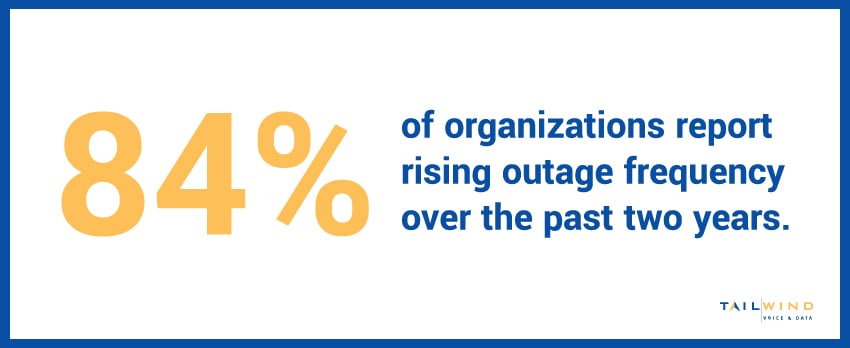
That difference matters for businesses where connectivity really can't go down – especially with 84% of organizations reporting rising outage frequency over the past two years.1 Read on to learn what bonded internet is, how it differs from failover, and when it's the right fit for your business.
TL;DR
-
A bonded internet connection combines two or more separate connections, such as fiber, cable, and cellular, into one logical connection, so a 200 Mbps fiber line bonded with 100 Mbps cable delivers roughly 300 Mbps.
-
Unlike failover, which leaves a backup line idle until the primary drops, or load balancing, which keeps each session on one line, bonding splits a single session across every connection at once.
-
Because bonded internet uses all lines continuously, it can route around a degrading or failed link without dropping VoIP calls, video conferences, or point-of-sale transactions mid-session.
-
Bonding requires an on-site appliance plus a bonding server or managed service, so it fits best where fiber is unavailable or where downtime carries a real cost.
What Is A Bonded Internet Connection?
A bonded internet connection combines two or more separate internet connections, often from different providers and different technologies, into one logical connection with combined bandwidth. For example, if you bond a 200 Mbps fiber circuit with a 100 Mbps cable connection, you get roughly 300 Mbps of usable bandwidth.
This is different from failover, where a backup connection only activates once the primary goes down. A bonded network uses every connection continuously, splitting traffic across all of them at the same time.
Bonded Internet Router
A bonded internet router, often called a bonding appliance, is the hardware that actually does the bonding. Some businesses run this as a physical appliance on site. Others use a cloud-based bonding service where the aggregation happens at a data center before traffic reaches its final destination, which tends to produce more consistent performance since it accounts for internet routing behavior beyond your building.
Bonded Cellular Internet
Bonded cellular internet combines multiple cellular connections – sometimes across different carriers – into one bonded pipe. Bonding two or three cellular connections from different carriers can produce bandwidth and reliability that a single cellular link can't match on its own, and it avoids being tied to one carrier's coverage gaps in a given area.
How Does Bonding Multiple Internet Connections Work?
Bonding multiple internet connections requires a device, either hardware or software, that sits at the edge of your network and manages how traffic gets split and reassembled.
Here’s the basic process:
- Outbound traffic is broken into packets and distributed across all bonded connections based on available capacity
- Each connection carries its share of the traffic simultaneously
- Packets are reassembled in the correct order at the other end
- The system continuously monitors each connection and adjusts the split in real time
If one connection degrades or drops entirely, the system shifts traffic to the remaining connections without dropping the session. That combination of speed and resilience is the core appeal of bonded internet.
Bonded Internet Service vs Standard Backup Internet
A bonded internet service isn’t the same as a simple failover setup, and the differences matter when deciding which one fits your business:
Cost Efficiency
Because a failover circuit only earns its keep during an outage, you're paying for capacity that sits dormant most of the time. With bonding, that same spend goes toward bandwidth you use every day.
Bandwidth
Failover backup sits idle until needed, contributing nothing on a normal day. Bonded connections add usable bandwidth all the time, so every circuit you pay for is actively carrying traffic.
Connection Quality
Failover only reacts to a connection going fully down, but real-world connections degrade subtly – such as jitter and packet loss that drag down app performance long before a link dies. Because bonding runs all connections at once, it can route around a struggling link before users ever notice.
Complexity
Bonding requires more sophisticated hardware or a managed service to handle the traffic splitting and reassembly correctly. That's added capability, but it's also added setup that a basic failover configuration doesn't involve.
Best Fit
Failover works great for businesses that simply need a safety net when the primary drops. Bonding is better for businesses that need more total bandwidth and resilience at the same time, rather than one or the other.
Bonded Internet vs Load Balancing: Key Differences
Load balancing is the setup most often confused with bonding, because both put multiple internet connections to work at the same time. The real difference is what happens to a single session, like one video call or one file upload.
Load Balancing
A load balancer keeps each connection separate and assigns devices, applications, or sessions to individual lines. One employee’s Teams call might ride the fiber circuit while another employee’s cloud upload rides the cable line. That spreads traffic across your bandwidth, but no single session can move faster than the one line it’s on. If that line drops, every session riding it drops with it.
Bonded Internet
Bonding works at the packet level instead. It splits the traffic from a single session across every connection and reassembles it at a bonding server before it reaches the internet. A large cloud backup can use the combined bandwidth of all your circuits, and a VoIP call keeps going if one of them fails.
Setup & Best Fit
Load balancing is simpler and cheaper to deploy. It typically runs on a multi-WAN router or through SD-WAN traffic policies, with no aggregation server needed on the other end. That makes it a solid fit for sites where many users run lots of small sessions, such as guest WiFi or general browsing. Bonding earns its extra setup when individual sessions can’t afford to slow down or restart: VoIP, video conferencing, point-of-sale transactions, and large file transfers.
Is A Bonded Network Right For Your Business?
A bonded network makes sense when a single connection, even a strong one, isn't enough on its own. Common cases include:
- Locations where fiber isn't available
- Multiple lesser connections that need to be combined to reach target bandwidth
- Businesses running real-time video or VoIP that can't tolerate interruptions
- Temporary or mobile locations without reliable wired infrastructure
For enterprises managing bandwidth and reliability needs across multiple sites, TailWind’s broadband aggregation team evaluates whether bonding, failover, or a single strong circuit is the right fit for each location, then sources and manages it under one relationship.
Bonded Internet FAQs
Does Bonded Internet Double Your Internet Speed?
Not quite. Bonding gets you close to the combined bandwidth of every connection, so a 200 Mbps fiber line bonded with a 100 Mbps cable line delivers roughly 300 Mbps, not a perfect 300. A small share of capacity goes to the overhead of splitting, tagging, and reassembling packets. Real-world throughput also depends on each line’s quality at that moment, so a congested or lossy connection contributes less than its rated speed. Two equal lines won’t give you exactly double, but they’ll come close.
What Types Of Internet Connections Can Be Bonded Together?
Almost any connection that reaches the internet can be bonded, including fiber, cable, DSL, fixed wireless, 4G LTE, 5G, and satellite. You can bond the same technology from different providers or mix technologies at one site. Mixing usually gives you the most protection, since a fiber cut, a cable outage, and a cellular coverage problem rarely happen at the same time. Keep in mind that two circuits entering your building through the same conduit still share the same weak point.
Can You Bond Internet Connections With Software Instead Of Hardware?
Yes. Software bonding tools run on a computer or router, often as a VPN-style app, and combine the connections that device already has. That works well for a single laptop or workstation, but it only helps the machine running the software. For a store, office, or clinic where dozens of devices share one connection, businesses use a bonding appliance on site paired with a bonding server or cloud service that reassembles the traffic. That gives every device behind it the same bonded connection.
Is Channel Bonding The Same As Broadband Bonding?
In most business contexts, yes. Channel bonding, broadband bonding, link bonding, and ISP bonding all describe combining separate internet connections into one, with ISP bonding usually meaning the lines come from different providers. There’s one exception. In cable networks, channel bonding also describes how a DOCSIS cable modem combines multiple frequency channels inside a single cable connection. That raises the speed of one cable line, but it doesn’t combine separate circuits or protect you if that line goes down.
Does A Bonded Internet Connection Use One IP Address?
Usually, yes. With cloud-based bonding, traffic exits to the internet from the bonding server, so websites, cloud apps, and VPN endpoints see one public IP address no matter which line carried the packets. That consistency matters for VoIP, site-to-site VPNs, and applications that whitelist your IP, because a line dropping doesn’t change your address mid-session. Setups vary between providers, so confirm whether a static IP is included before deployment.
What Are The Limitations Of Bonded Internet?
Bonding adds capability, but it comes with trade-offs. Traffic passes through a bonding server before reaching the internet, which can add latency if that server sits far from your site. Speed falls a little short of the full sum because of processing overhead. Bonding also can’t create coverage that doesn’t exist: three weak cellular links still add up to a weak connection. And you’re paying for multiple circuits plus the bonding hardware or service, so the math works best where downtime carries a real cost.
Why Does Bonded Internet Matter For Multi-Location Businesses?
Connectivity options change from one address to the next. One store might have fiber available, while another location in the same chain only has cable and LTE. Bonding lets each site reach the bandwidth and uptime it needs from whatever circuits are available there, instead of depending on a single weak provider. It also spreads risk across carriers, so one provider’s outage doesn’t take down a whole region of locations. For businesses running POS, VoIP, and cloud apps at every site, that consistency matters.
Is Bonded Internet Good For VoIP?
Yes, and it’s one of the strongest use cases. VoIP calls are sensitive to jitter, packet loss, and dropped sessions, and a single connection can degrade mid-call without fully failing. Because bonding runs every line at once, it can steer packets away from a struggling link and keep the call going if one circuit drops entirely. With simple failover, a call on the failed line usually drops and has to be redialed. Bonding also keeps one public IP address, so the call doesn’t lose its path when a line fails.
Ready To Explore Bonded Internet For Your Business?
Getting the most out of bonded internet depends on selecting the right hardware, the right mix of connections, and the right provider relationships behind them.
At TailWind, we simplify connectivity for enterprise businesses. We source the best connections, stand up the bonding hardware or service, and manage the carrier relationships behind every circuit – all backed by boots-on-the-ground support and nationwide field services.
If you're evaluating internet for a single site or a full portfolio of locations, our team is ready to help. Get in touch today to get started!
Sources: