
Businesses running two internet connections often assume the second one is just sitting there for backup. In a lot of setups, that's true – but it's also a missed opportunity.
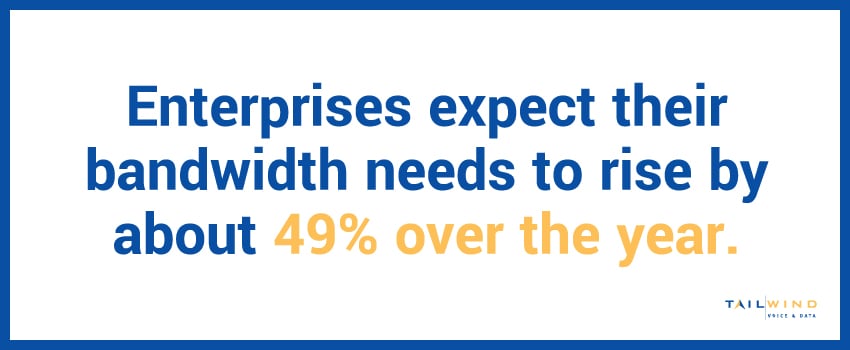
Load balancing lets you use both connections at the same time, which means more usable bandwidth every day and a network that keeps running if one connection has a bad moment. And with enterprises expecting their bandwidth needs to rise by about 49% over the year,1 that extra capacity matters.
Keeping up with growth is where load balancing earns its place. Read on to learn how internet load balancing and dual WAN setups actually work, and when they make sense for your business.
What Is Internet Load Balancing?
Internet load balancing distributes network traffic across two or more internet connections at the same time, rather than relying on a single connection while a backup connection sits idle.
A router or appliance configured for load balancing decides in real time which connection each piece of traffic should use, based on factors like current load, connection speed, and application type. The goal is to use all the bandwidth you're paying for, all the time, and keep the network running smoothly even if one connection slows down or drops.
What Is Dual WAN?
Dual WAN refers to a router or firewall configured with two separate internet connections, often called WAN1 and WAN2. These two connections can come from the same provider or, more commonly for business use, from two different providers using different last-mile technology.
A dual WAN setup is what makes load balancing possible. Without at least two active connections, there's nothing to balance.
Most dual WAN routers support a few different modes, including:
Load Balancing
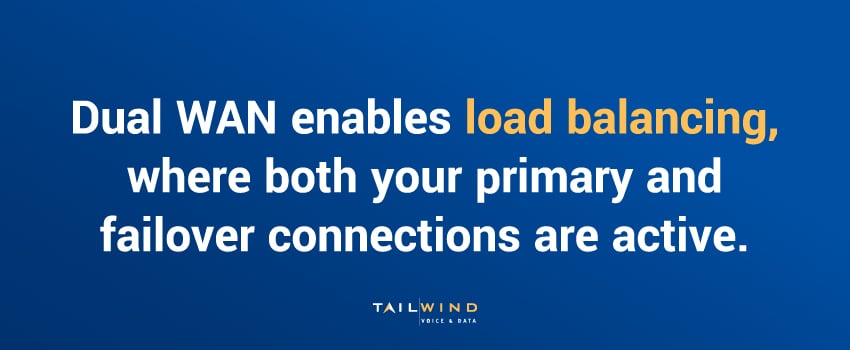
With load balancing, both connections are active and share traffic simultaneously, giving you the combined capacity of all your circuits during normal operation.
Failover
One connection handles all day-to-day traffic while the second stays idle until the first one fails, then takes over. It's the simplest mode, but you're paying for a circuit that contributes nothing most of the time.
Hybrid
In a hybrid setup, both your primary and failover connections are active, but certain traffic types are tied to a specific connection for consistency – such as keeping VoIP on your most reliable link and letting other traffic share whatever capacity is remaining.
How a Load Balancing Router With Two Internet Connections Works
A load balancing router with two internet connections typically uses one of a few methods to decide how traffic gets split:
- Round Robin: Traffic alternates between connections in sequence, regardless of how busy each one is.
- Weighted Distribution: Traffic is split proportionally based on each connection's speed. A 500 Mbps circuit gets more traffic than a 100 Mbps circuit.
- Session-Based Routing: Each session, like a video call or a file download, is assigned to one connection for its full duration, which avoids the reassembly issues that can come from splitting a single session across two paths.
- Application-Aware Routing: Certain traffic types, like VoIP, are automatically routed to the connection best suited for them, while less sensitive traffic uses whatever capacity is available.
Session-based routing is the most common method in business-grade equipment. Splitting individual sessions across two connections can cause more problems than it solves, especially for real-time applications.
What Is Redundant Internet Load Balancing?
Redundant internet load balancing combines the bandwidth benefit of load balancing with the reliability benefit of having a true backup path. The setup uses both connections actively under normal conditions, then automatically shifts all traffic to the remaining connection if one fails.
This differs from a traditional failover setup, where the backup connection contributes nothing until something breaks. Redundant load balancing lets your enterprise use both connections every day, and you still have the safety net if one goes down.
What Are Common Use Cases for Internet Load Balance Configurations?
Internet load balancing is helpful in a wide range of business situations, such as:
- Retail locations running point-of-sale, WiFi, and security cameras on the same connection, where bandwidth gets tight during busy hours
- Offices with heavy cloud application use, video conferencing, and VoIP running simultaneously
- Locations where a single connection type isn't fast enough on its own, so two connections are combined to hit target bandwidth
- Businesses that have been burned by an outage before and don't want to depend on one provider or one physical path into the building
What ties these scenarios together is a need for both more bandwidth and more reliability at once – not at the expense of the other. That's the gap load balancing is built to close, and it's why the approach fits so many different kinds of operations.
Load Balancing Internet vs. Failover: Which Fits Your Business?
These two approaches solve different problems, and the right choice depends on what actually matters most for your operation. Let’s break down their biggest differences below:
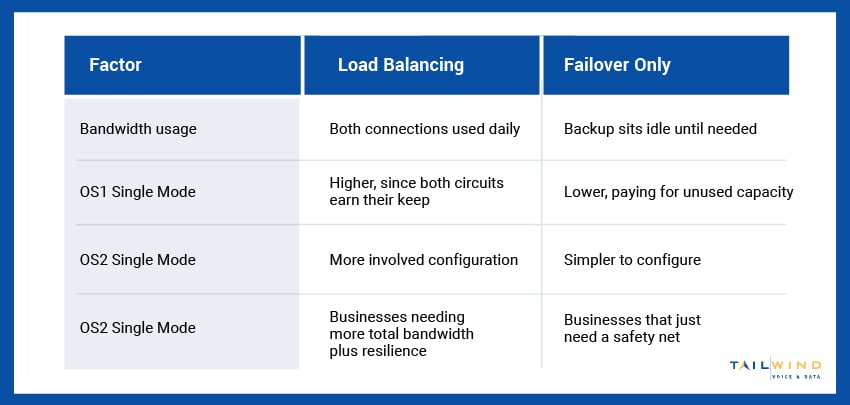
Businesses with growing bandwidth needs and locations that can't tolerate downtime tend to get the most value from load balancing, while those with one solid primary connection who just want a backup plan may not need the added complexity.
How To Set Up Load Balancing Across Multiple Locations
At a single office, dual WAN and load balancing is usually a matter of picking the right router and getting two circuits installed. But a business with locations across a region or the country runs into more complications fast, since different locations have different carrier options, pricing, and install timelines. Keeping the configuration and monitoring consistent across every site takes real coordination.
TailWind’s broadband aggregation and SD-WAN teams help enterprises source the right connections at each location and manage load balancing or failover configurations consistently across the whole portfolio, under one relationship and one point of contact.
Get More Out of Your Internet Connections With TailWind
Whether you're running a single office or a hundred locations, the difference between a connection sitting idle and one earning its keep every day adds up. Load balancing and dual WAN configurations turn backup capacity into usable bandwidth without sacrificing the resilience you need.
Doing this well across multiple locations takes more than good hardware – it takes someone to coordinate carriers, configurations, and monitoring at every location. That’s where TailWind comes in. We source the right circuits at each site, configure load balancing or failover to fit what that location needs, and back it up with boots-on-the-ground support, so every site performs the way it should.
If you're evaluating load balancing, failover, or a broader connectivity strategy across your locations, our team can help. Get in touch to get started.
Sources: